.svg)
One researcher's feedback just sparked 5+ improvements to your data workflow

A few months ago, a professor using Dewey to work with real estate data across multiple datasets sent us a detailed note. Not a complaint, exactly. More like a memo from someone who genuinely wants Dewey to succeed and had spent enough time in the weeds to tell us exactly where the friction was. He wasn't just thinking about his own workflow either. A lot of his feedback was shaped by watching his graduate students and RAs get stuck, and wanting the platform to work as well for them as it does for experienced researchers.
He walked us through five specific issues. We read all of it carefully. Some of what he raised we were already working on. Some of it sharpened our thinking. And a few things we fixed faster because of him.
Here's what he told us, and what we shipped.
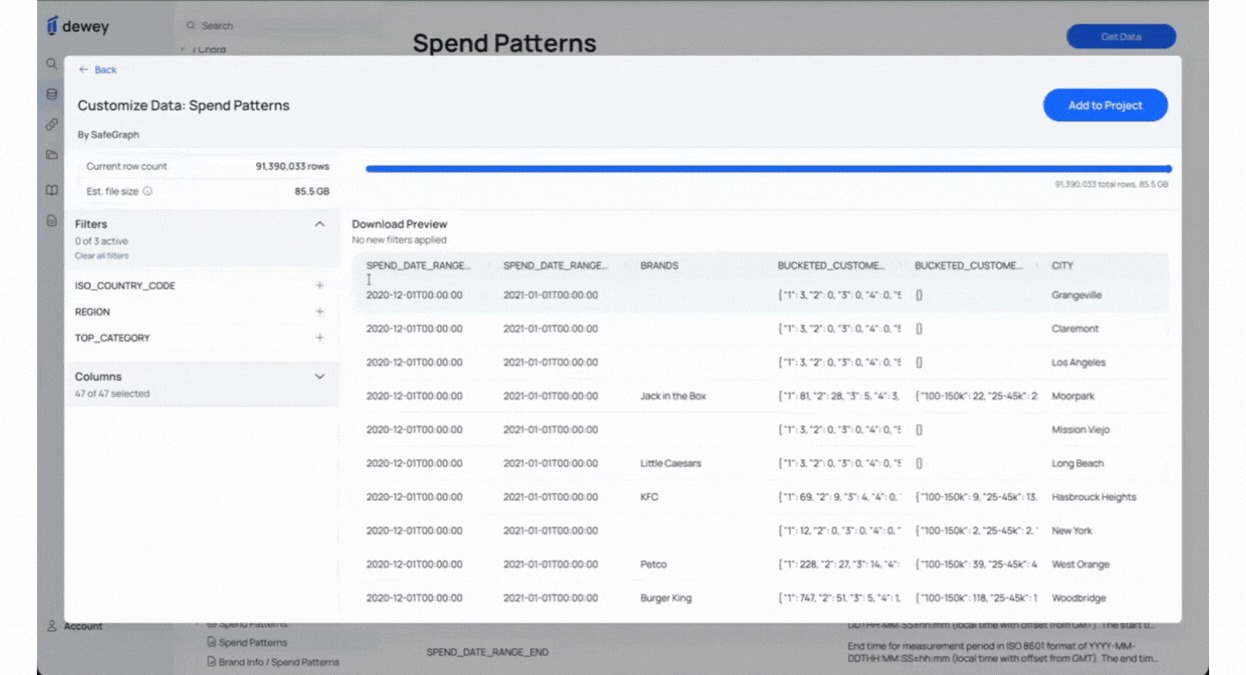
1. Advanced dataset filtering for academic research: Customize by geography, industry & more
The underlying problem wasn't that researchers didn't want to filter their data. It's that the filters available often didn't map to how researchers think about their data. You shouldn't have to reduce rows by a percentage when what you actually need is California or multifamily or a specific company name.
We've added text-based filters across most datasets. You can now search high-cardinality fields like city names, company names, and property types using keyword chips. Matching is case-insensitive and finds any value containing your text. Pull the slice you actually need, not a random sample of everything.
2. Preview Row Count & File Size Before Downloading Research Data
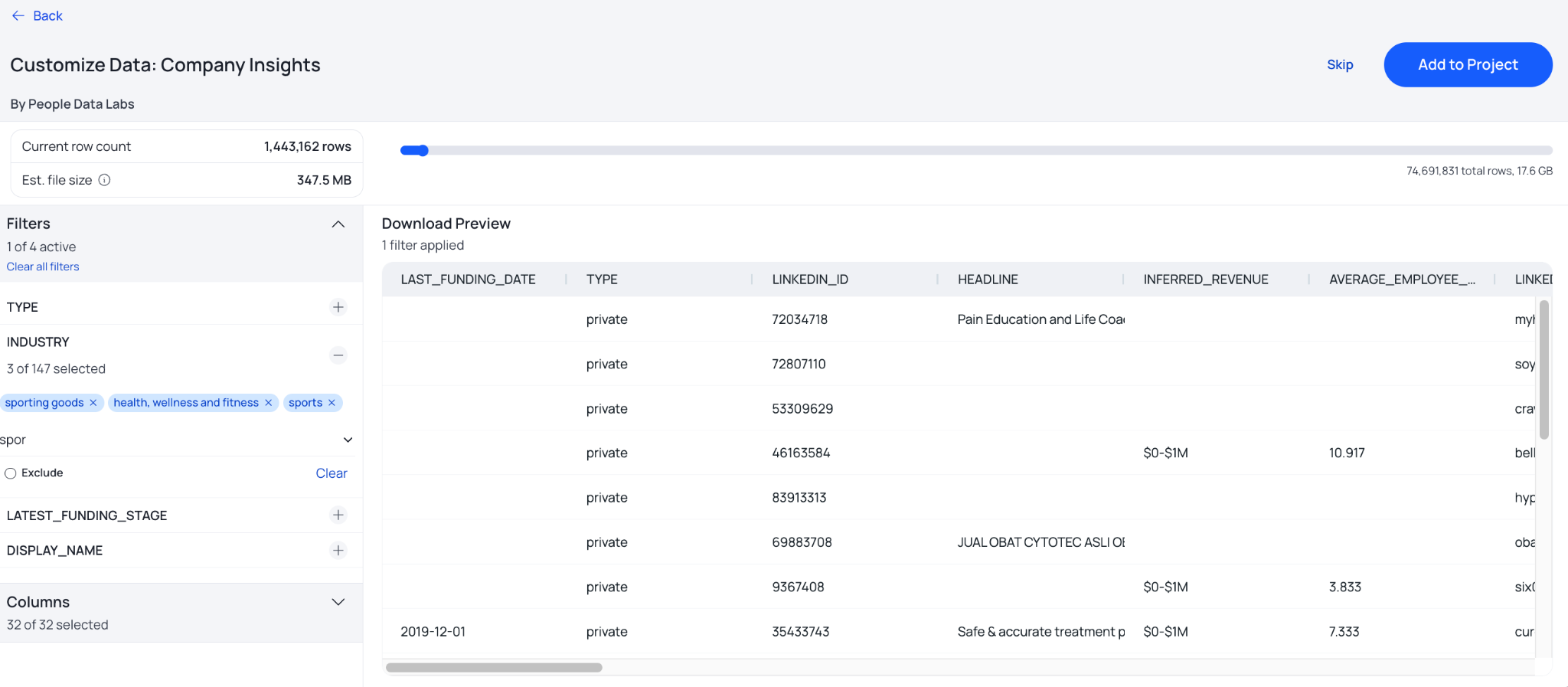
Part of what made the old workflow anxiety-inducing was not knowing what you were about to download. Is this 200MB or 20GB? How many rows does this filter actually return?
As you apply filters, you now see a live estimated row count and file size. Plan your storage before you download. Know what you're getting before you get it. And if you need a small, targeted pull, there are no longer any minimum row requirements. Download exactly what your research calls for, nothing more.
3. Show applied dataset filters when naming a download
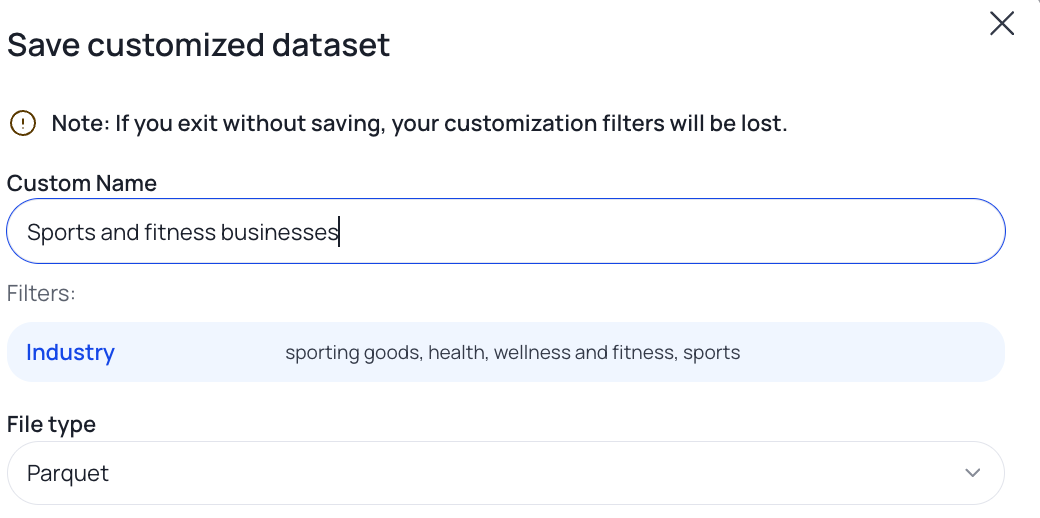
When you go to save a dataset, your active filters are now displayed alongside the naming field. It's a small change with a real impact: the title you write actually reflects what's in the file. This is especially helpful if you have multiple customized subsets or lots of different cuts of the same dataset.
When you're managing multiple pulls across a project, or handing work off to an RA, accurate and descriptive names matter more than most people realize until they don't have them.
4. Rename saved research datasets anytime without re-downloading
Once a dataset was saved, the name was fixed, which pushed researchers toward downloading more than they needed just to stay organized.
You can now edit the title of any saved dataset at any time from your saved datasets list, no re-download required. When your naming conventions evolve mid-project (and they always do), you don't have to redo the work.
5. Improved dataset documentation: codebooks, variable description, and field definitions
Finding the supporting documentation you need shouldn't require an archaeology degree. Across several datasets, variable descriptions were thin, codebooks were hard to find, and it wasn't always clear how fields related to each other across tables. A field called PROPERTYUSESTANDARDIZED containing values like 103, 110, 378 with no key in sight costs researchers hours they shouldn't have to spend.
We've been working through dataset documentation systematically: cleaner variable descriptions, direct links to provider codebooks where they exist, and better guidance on how IDs and fields connect across related tables. This one takes time to do right, and there's more to come, but it's in progress across the full catalog.
Tell us what's slowing you down
This researcher ended his note by saying he hoped Dewey could succeed more broadly. That's exactly the kind of thing that keeps a small team honest, and it's why we want to hear from you too.
If you're hitting friction in your workflow, missing a filter that would make a real difference, or finding documentation that doesn't quite get you there, let us know. This is genuinely how we figure out what to build next.
Happy researching.




.svg)